Report a problem or ask for help
Tell your courier about a late, damaged or misdelivered order, ask any other question, and follow the answers in one place.
On this page
Help and requests collects every question and problem your company sends to your courier, with their answers. Anyone at your company who uses the portal can send one.
Report a problem with an order
Use this when one delivery is late, damaged or went to the wrong place, so the order is attached.
- Open the order from Orders.
- Under Need something?, click Report a problem.
- Under What's wrong?, pick It's late, Something is damaged, Wrong address or contact or Something else.
- Write the details in Tell us more and click Send to my courier.
The conversation opens straight away. My requests about this order on the order lists everything sent about it.
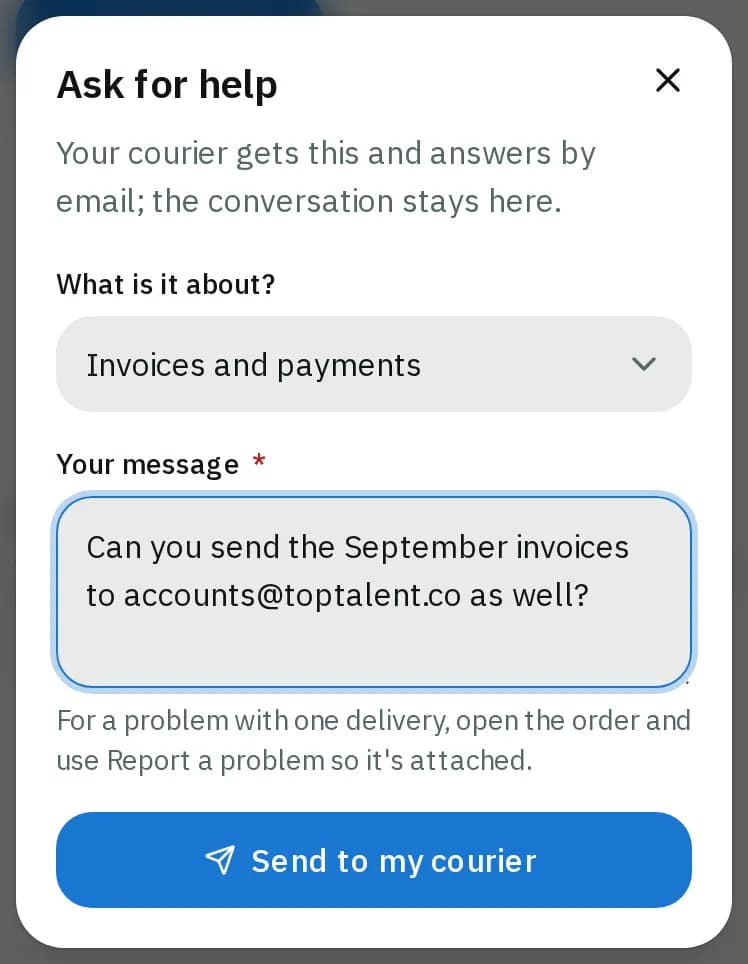
Ask for help
- Open your account menu (your initials) and pick Help and requests, or click send a message at the bottom of any page.
- Click Ask for help.
- Under What is it about?, pick a topic, for example Invoices and payments or My account or the portal.
- Write Your message and click Send to my courier.
Follow the answer
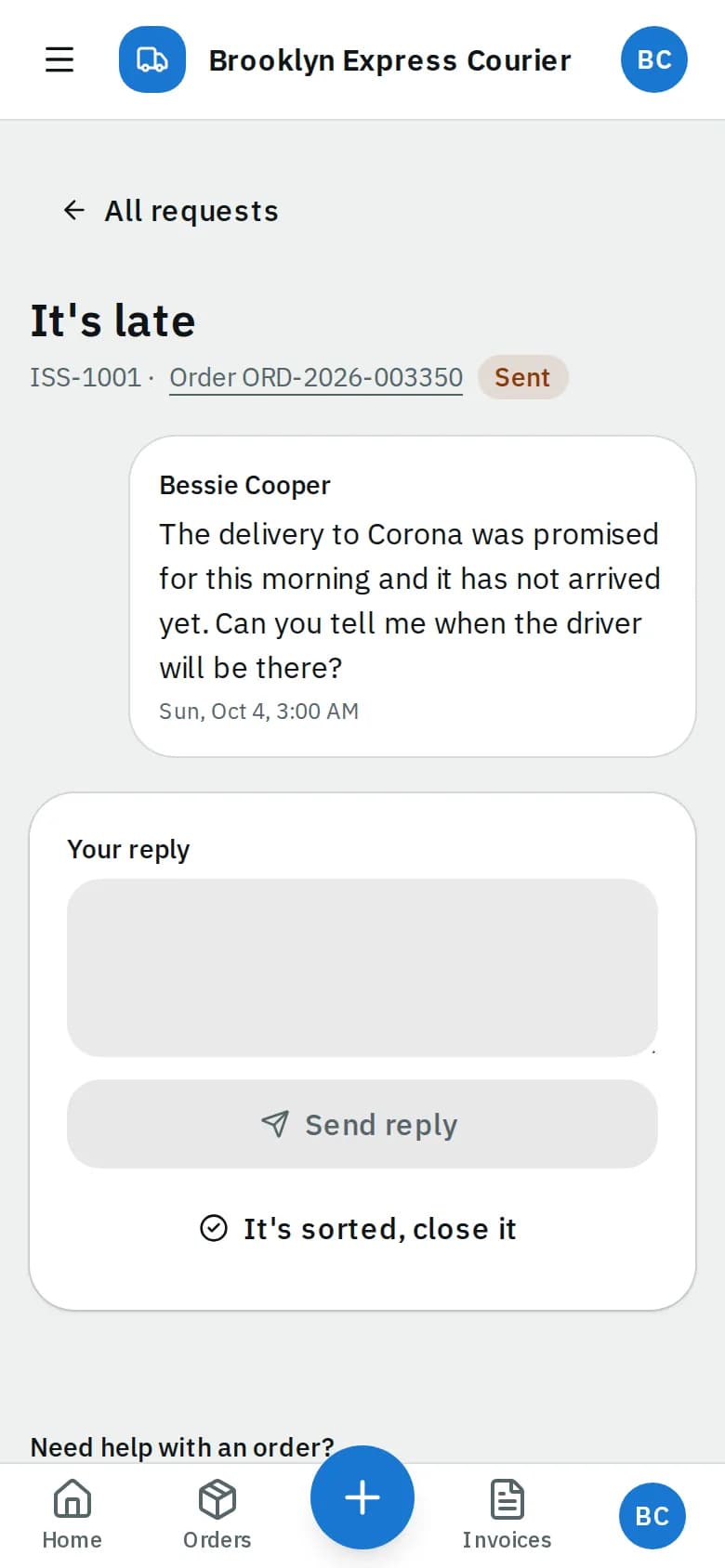
Your courier answers by email, and the answer also shows in the conversation. The list shows each request's topic, order, last message and status: Sent, Answered or Closed.
- Click a request to open the conversation.
- To reply, write in Your reply and click Send reply.
- When it's solved, click It's sorted, close it. Writing again in a closed request reopens it, or click Reopen.
Related articles
- How-toTrack your ordersSee what is on the way on your Overview, follow an order step by step, download proof of delivery and share a tracking link with the receiver.
- How-toPay invoicesSee what you owe, pay one or several invoices by card, download receipts and statements, and let saved cards pay invoices on their due date.
- Page guideHelp and requestsThe Help and requests list and one request's conversation in the portal: asking for help, topics, statuses, replying, closing and reopening.
- How-toPlace an orderBook a pickup and delivery on the screen you land on, repeat an earlier order in one click, see the price before you place it, and change or cancel it while that is still allowed.
Still stuck?
Ask your courier company: they can see your account. Or tell us what you were trying to do.