Sign in and manage your account
Open your courier's customer portal, reset a forgotten password, accept an invitation and choose which updates you get.
Watch: Place an order in the customer portal
1:12How your customers sign in, say where it goes and what they send, pick a service with its price, and track the order.
On this page
The customer portal is your courier's website for your company: you place orders, track deliveries and pay invoices there. Every person at your company signs in with their own email and password.
Sign in
- Open the sign-in link your courier gave you. It is your courier's own address followed by
/login, for exampleyour-courier.nemiroute.com/login. The page shows your courier's logo or name. Bookmark it. - Enter your Email and Password.
- Tick Keep me signed in for 7 days on a device only you use.
- Click Sign in.
If your email is used by more than one company account at this courier, the page shows Choose an account with the company names. Click the company you want to sign in to. The top bar then shows that company's name, so you always know which account you are in. To change company later, open your account menu and pick Switch company.
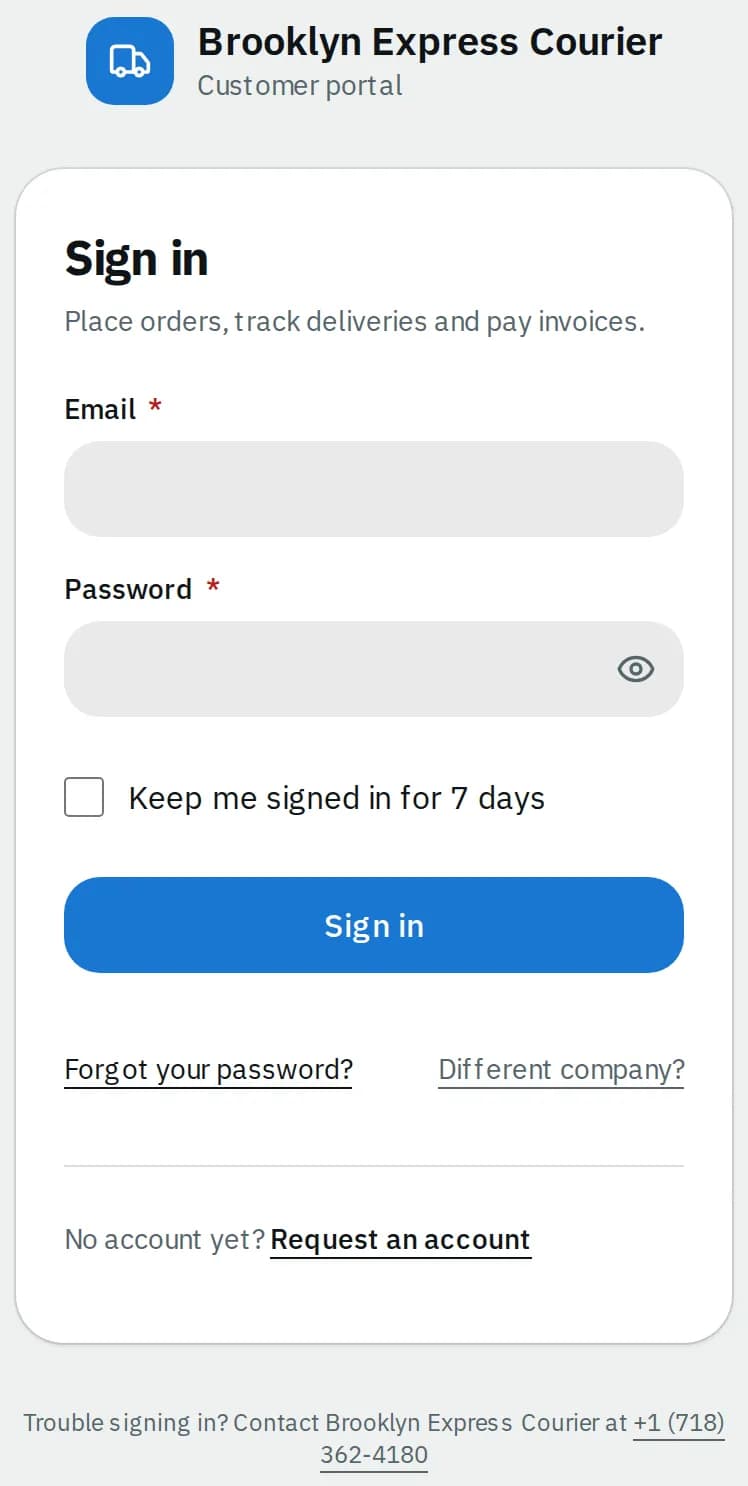
No login yet? Click Request an account, fill in your company and work email and click Send request. Your courier checks it and emails you an invitation. A colleague who already uses the portal can invite you faster (see Invite colleagues).
Forgot your password
- On the sign-in page, click Forgot your password?.
- Enter your Email and click Email me a code.
- Type the 6-digit code from the email and click Check code. The code works for 10 minutes. A new code is sent at most once every 2 minutes, so if none arrives, wait a little and click Send a new code.
- Enter a New password twice and click Save new password, then Go to sign in.
A new password applies to every company account that uses your email.
A password needs 8 or more characters, with at least one letter and one number.
Accept an invitation
When a colleague or your courier invites you, you get an email with a link.
- Open the link. The page says Welcome with your name and company.
- Choose a Password, type it again in Confirm password.
- Click Set password and continue. You are signed in straight away.
Change your password
- Click your initials (top right on a computer, bottom right on a phone) and pick Change password.
- Enter your Current password, then the New password twice.
- Click Save new password.
Sometimes your courier asks you to set a new password before you continue. The portal then opens this page by itself; you can't reuse your last 5 passwords.
Your profile and notifications
Open your initials and pick My profile.
- Update your name, Phone, Mobile or Job title. To change your email, ask your company's primary contact.
- Under Notifications, choose How you hear from your courier (Email, Text messages) and About what: Order updates, Invoices and payments, or every order your company places, not only your own.
- Click Save profile.
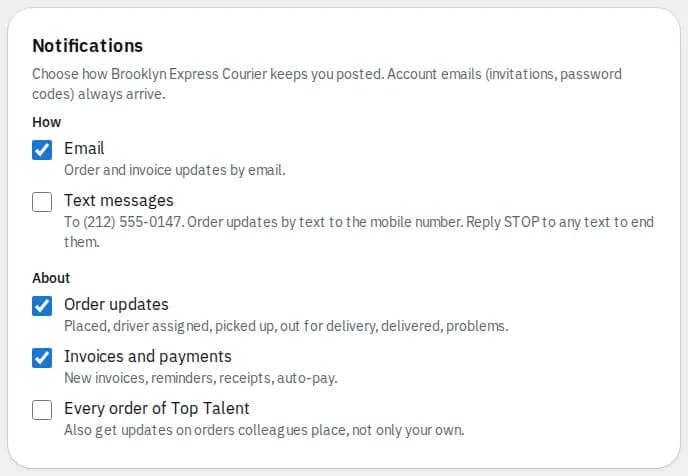
Texts go to your mobile number; reply STOP to any text to end them. Account emails such as invitations and password codes always arrive.
What you can do on the same page lists your permissions. Your privacy lets you Prepare my data (a zip you can download for 24 hours) or Delete my account, which you can still cancel for 30 days.
Related articles
- How-toPlace an orderBook a pickup and delivery on the screen you land on, repeat an earlier order in one click, see the price before you place it, and change or cancel it while that is still allowed.
- How-toTrack your ordersSee what is on the way on your Overview, follow an order step by step, download proof of delivery and share a tracking link with the receiver.
- ConceptWhat the emails and texts you get meanEvery email and text the portal and your courier send about orders, invoices and your account, when each one goes out and which ones you can switch off.
- ConceptCustomer portal FAQShort answers to the questions customers ask most about the portal: signing in, ordering, tracking, paying, colleagues, notifications and your data.
- Page guideProfile and passwordThe My profile page (your details, notifications, what you can do, your privacy) and the Change password page of the portal.
Still stuck?
Ask your courier company: they can see your account. Or tell us what you were trying to do.